
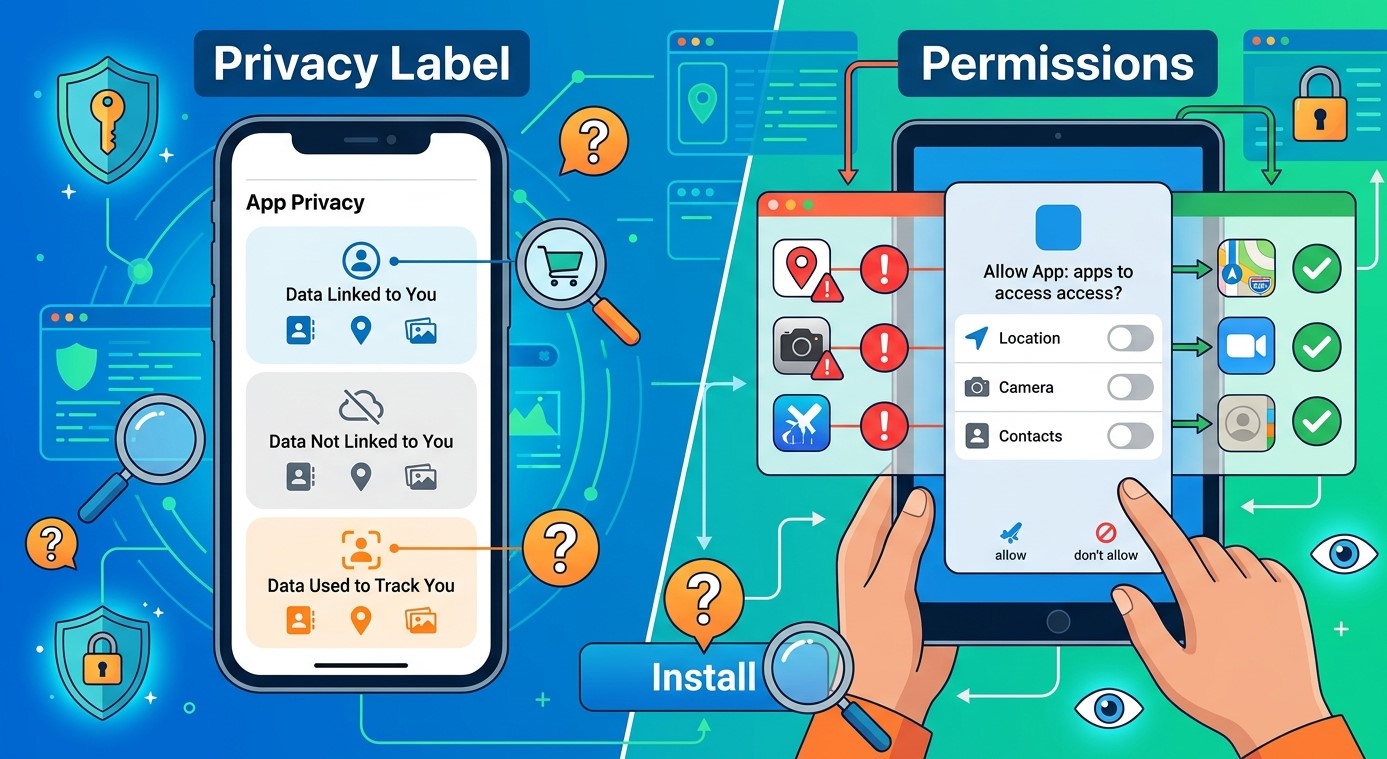
Before installing an application on your smartphone, Smart TV, or streaming device, it is important to understand what information the app may collect and which device features it can access. An app might offer useful entertainment features, but it may also request permissions that are unnecessary for its main purpose.
Privacy labels and permission settings help users make informed decisions before downloading software. Whether you use IPTV India services or watch television through an Indian IPTV Box, understanding these details can help protect your personal information, improve device security, and avoid applications that request excessive access.
Table of Contents
- What Is an App Privacy Label?
- Understand What Data an App Collects
- Learn the Difference Between Data Collection and Tracking
- What Are App Permissions?
- Common Permissions to Check Before Installation
- How to Review Privacy Information Safely
- Warning Signs to Watch For
- Frequently Asked Questions
1. What Is an App Privacy Label?
An app privacy label is a summary of the information an application may collect, use, or share. Apple displays privacy information on App Store listings, while Google Play provides a similar section called Data Safety.
These labels are designed to help users understand an app’s privacy practices before installing it.
Depending on the platform, you may find information about:
- Personal information collected by the app
- Device or usage information
- Data shared with third parties
- Whether collected information is linked to your identity
- Whether data is used for advertising or analytics
Remember that privacy labels are generally based on information provided by developers. They are useful starting points, but they do not guarantee that an application is completely risk-free.
2. Understand What Data an App Collects
Not all data collection is harmful. Some information is necessary for an application to operate properly.
For example, a streaming app may collect basic device information, usage statistics, or account details to provide its services.
However, pay attention to the type of information involved.
Common categories include:
- Contact information: Name, email address, or phone number.
- Location information: Approximate or precise device location.
- Identifiers: Advertising IDs or device-related identifiers.
- Usage data: Information about how frequently you use an application.
- Diagnostics: Crash reports and performance information.
- Payment information: Details required to process purchases or subscriptions.
Ask yourself whether the information being collected is reasonably necessary for the application’s advertised features.
3. Learn the Difference Between Data Collection and Tracking
Data collection and tracking are related, but they are not exactly the same.
Data collection means an application gathers information about your activity or device. Tracking generally involves linking information from your app activity with data from other companies’ apps, websites, or services for purposes such as advertising or measurement.
For example, an application may collect crash reports to improve performance. That does not automatically mean it tracks your activity across other services.
Read the privacy label carefully to understand how information is used and whether it is shared.
4. What Are App Permissions?
App permissions determine which device features or information an application can access.
When you install or open an app, it may request permission to use certain functions. Some requests are necessary, while others may be optional.
For example, a video application may need internet access to stream content. However, access to your contacts or microphone may not be necessary unless the app provides a feature that genuinely uses them.
Grant permissions only when their purpose is clear.
5. Common Permissions to Check Before Installation
Here are some important permissions to review:
| Permission | Why an app may need it | What to consider |
|---|---|---|
| Location | Location-based features | Is precise location necessary? |
| Camera | QR scanning or video calls | Does the app offer these features? |
| Microphone | Voice search or communication | Is microphone access optional? |
| Contacts | Contact-based features | Does the app really need your contacts? |
| Photos and files | Uploading or saving media | Can you limit access to selected files? |
| Notifications | Alerts and updates | Are notifications useful to you? |
| Accessibility | Specialized device assistance | Is the requested access clearly explained? |
Permission names and controls can vary between Android, iOS, and television operating systems.
6. How to Review Privacy Information Safely
Before downloading an application, follow these practical steps:
- Open its official app store listing.
- Read the Privacy or Data Safety section.
- Check the developer’s identity and website.
- Review the permissions requested by the app.
- Read the privacy policy for more details.
- Compare requested access with the app’s actual features.
- Install only if you are comfortable with its privacy practices.
After installation, periodically review permissions through your device settings. Some operating systems also allow temporary or limited access to sensitive features.
7. Warning Signs to Watch For
Be cautious if an application:
- Requests access unrelated to its main purpose.
- Has no clear privacy policy.
- Provides vague information about data sharing.
- Requests unnecessary accessibility or administrative access.
- Comes from an unknown or unverified developer.
- Promises features that seem unrealistic.
- Makes it difficult to understand subscription or data practices.
For IPTV players and streaming applications, be especially careful with requests for contacts, messages, or other sensitive information that is not needed for ordinary video playback.
Frequently Asked Questions
1. What is the difference between an app privacy label and permissions?
A privacy label explains what information an application may collect and how it uses that information. Permissions control which device features or data the application can access.
2. Are Google Play Data Safety labels always accurate?
They are based on information supplied by developers and are useful for evaluating apps. However, users should also review the privacy policy, permissions, and developer reputation.
3. Should I allow every permission an app requests?
No. Only grant permissions that are necessary for features you want to use. Deny unnecessary access whenever possible.
4. Can I change app permissions after installation?
Yes. Most modern smartphones and many streaming devices allow users to review and change permissions through their settings.
5. Do IPTV apps need access to my contacts or location?
Ordinary video streaming generally does not require access to contacts. Location may be needed for specific location-based features, but the reason should be clearly explained before you grant permission.
Conclusion and Call to Action
Reading privacy labels and reviewing app permissions before installation can help you make safer decisions about the software you use every day. Take time to understand what information an application collects, why it requests access, and whether its privacy practices match your expectations.

Before installing a streaming application, verify its developer and review its permissions carefully. Choose reliable IPTV India services and a compatible Indian IPTV Box while keeping your privacy and device security a priority.









Leave a Reply